


AI Chat - Personal Assistants
3.8133.00 Reviews
App Specs
- Version
- 1.1.0
- Updated On
- License
- Free
- Downloads
- 1,000,000+
- Developer
- Invoker Apps
- Categories
- Tools
- Platform
- Android
Screenshots
 Analysis by AppCompare
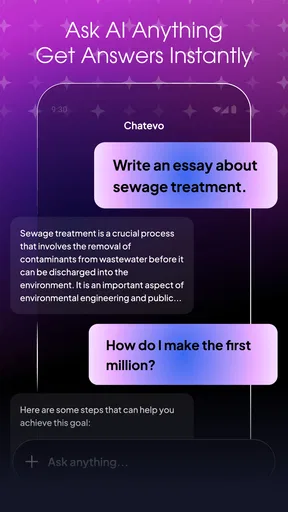
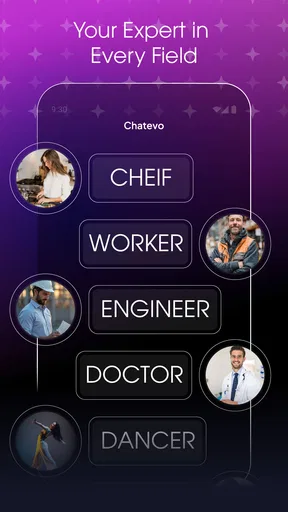
I look at AI chat tools as handy companions, not as dependable replacements for calendars, reminders, or careful research. That distinction matters with AI Chat - Personal Assistants: the appeal is having a conversational place to ask for help and create images, while the sensible approach is to check important answers and keep essential plans in tools built to manage them. In my view, it is most useful when you treat it as a flexible starting point rather than an all-knowing secretary.
What I would use it for in an ordinary day
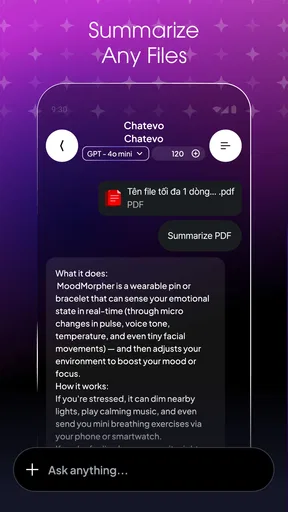
Picture a busy morning: I need to draft a polite message, think through a simple dinner plan, and find a visual direction for a small project. A conversational assistant can help me get from a vague idea to a first draft or prompt without opening several separate tools. I would still review the message before sending it and check practical details such as ingredients or timings, but having one place to brainstorm can save effort.
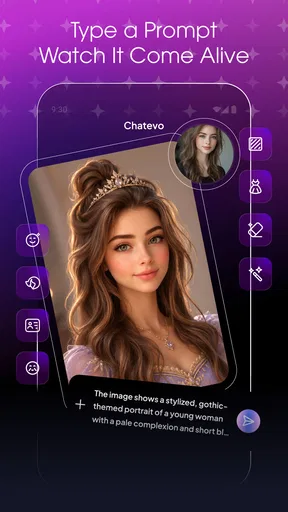
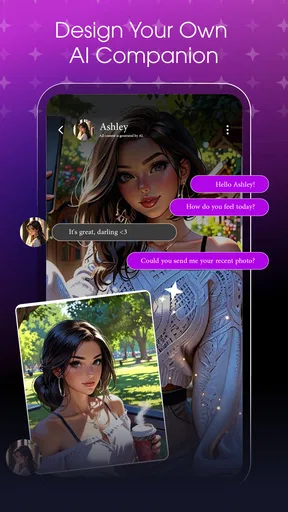
The image-making side is a different kind of help. I would use a text-to-image tool to explore concepts, not to assume the first result is ready for a presentation or final design. A useful habit is to describe the subject, setting, mood, and composition separately, then refine whichever part looks wrong. That makes the process more deliberate and gives me a clearer basis for judging whether the result is usable.
Where a conversational assistant helps—and where it doesn’t
This format suits people who prefer asking for help in ordinary language instead of navigating a complex menu. It can be a convenient place to brainstorm, rephrase text, or try an image idea. It is less suitable when the task depends on verified, up-to-date facts, precise professional advice, or reliable scheduling. In those cases, I would use a trusted source or a dedicated tool and treat any AI response as something to check, not as the final word.
Compared with using a general chatbot on its own, an app that brings chat and image generation together may reduce the need to switch between separate interfaces. The trade-off is that a bundled experience does not automatically make every answer or image better. If I need detailed controls for artwork, a dedicated image editor may offer a more suitable workflow; if I need dependable task tracking, a calendar or reminders app is the more direct choice.
Small habits that make the experience more useful
I get better results from a clear request than from a broad command. Instead of asking for help with a project in general, I would explain the intended audience, desired tone, and what I already know. For image prompts, I would change one element at a time when refining an idea; changing the subject, style, and layout all at once makes it harder to tell what improved the result.
There is also a practical boundary worth keeping: I would avoid sharing private details just to make a prompt feel more personal. I would not enter passwords, financial information, or sensitive personal material into a chat unless I had carefully checked how the app handles it. That cautious approach is useful with any AI service, and it is more dependable than assuming privacy protections from a general impression of the interface.
Worth Reading Before You Choose

EA SPORTS FC Mobile 26 Is a Bigger Football Game, but It Takes Time

Flipboard Shows What News Apps Must Do Beyond the Feed

Switching to Android Auto Means Rethinking Your Driving Routine

Google Calendar Makes a Crowded Week Easier to Manage

Ludo King Makes the Most of the Minutes Between Plans

Baby Panda World Brings Quick Play to Modern Phones, but Its Game Library Feels Busy
Who should consider it
I can see the appeal for someone who wants a low-friction way to explore AI chat and image generation in one app, especially for casual writing, brainstorming, and visual experiments. It may also suit a curious first-time user who wants to test whether conversational tools fit into everyday routines. People who need consistent professional output, deep image-editing controls, or robust task management should compare it with specialist alternatives before making it part of their workflow.
The app is free to install, but it also offers in-app purchases ranging from $0.99 to $89.99 per item. I would try the basic experience first and decide whether any paid option solves a real need before spending. That matters particularly for occasional users: if you only want to ask a few questions or test a prompt now and then, paying for extras may not offer enough value.
It is a Tools app from Invoker Apps, with an Everyone content rating. The current version is 1.0.4, and it runs on Android 7.0 or later. Its average rating is 3.9 from 352 ratings, with 23 written reviews, and it has passed 100K installs. I see those figures as useful context, not proof that the app will fit every device or every working style.
Getting Started: Setup and Interface
Jumping into AI Chat - Personal Assistants was super straightforward. After downloading from the app store (links are right on our site), I was greeted with a clean and intuitive interface. It’s like the app knows exactly what you need before you even figure it out yourself! The setup process was a breeze, requiring just a few taps to get everything up and running. I was pleasantly surprised by how user-friendly the whole thing was.
The design is sleek, with a minimalistic vibe that doesn’t overwhelm you with too many options right off the bat. The app is designed to be your personal assistant, and it definitely feels like it. You’re welcomed with a friendly chatbot interface that’s ready to help with whatever you throw at it.
Features That Stand Out
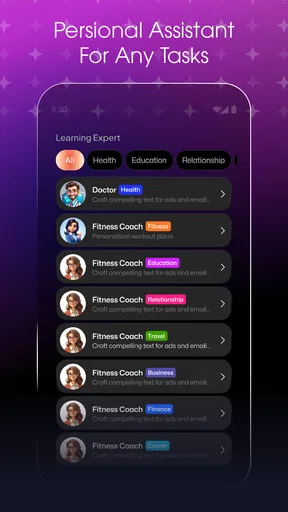
Now, let’s dive into the features because that’s where the magic happens. This app isn’t just about chatting; it’s about making your life easier. Here’s what I found particularly impressive:
- Task Management: Need to remember to buy groceries or attend a meeting? Just tell your assistant, and it’s done. It’s like having a personal secretary in your pocket.
- Smart Reminders: The app can set reminders based on your conversations. Mention a birthday, and boom! You’ve got a reminder set without lifting a finger.
- Natural Language Understanding: The AI is pretty good at picking up on casual language. You don’t have to speak in code; just chat like you would with a friend.
What really caught my attention was the assistant’s ability to learn over time. The more you interact, the smarter it gets. It’s like training a puppy, but without the mess!
Daily Use and Performance
In terms of daily use, I've been using the app for about a week, and I’m honestly impressed with how well it integrates into my routine. Whether it’s setting alarms, managing my calendar, or even just having a quick chat to lighten the mood, this app has got me covered.
The performance is smooth, with quick response times that make interactions feel seamless. I haven’t encountered any major bugs, which is always a plus in my book. The app also doesn’t drain my battery, so I’m not constantly reaching for a charger.
Security and Privacy
One of the first things on my mind when using any AI app is privacy. Thankfully, AI Chat - Personal Assistants takes this seriously. They’ve got end-to-end encryption, so your conversations stay private. Plus, you can customize what information the app can access, which is a nice touch for those who are a bit privacy-conscious.
It’s reassuring to know that the developers have put thought into keeping your data safe. After all, what’s the point of a great app if you can’t trust it?
Final Thoughts
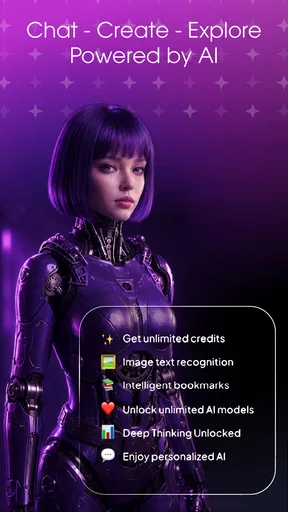
All in all, AI Chat - Personal Assistants is a fantastic companion for anyone looking to simplify their daily tasks and have a little fun along the way. It’s like having a Swiss Army knife in app form, ready to help you tackle whatever the day throws at you.
If you’re curious and want to give it a whirl, head over to our site for the download links. I’d say it’s worth checking out, especially if you’re a fan of tech that makes life a bit easier. Happy chatting!
Speed, demanding sessions, and expectations
Quick replies make a chat feel natural, but I would not judge this app by speed alone. A short question and a detailed request for an image are different workloads: the latter may take longer, and a delay does not necessarily mean the app has stopped responding. When I am trying a more involved prompt, I would give it a moment before sending the same request again. Repeating it too quickly can clutter the conversation and make it harder to compare results.
For heavier use, I would keep a simple workflow: start with one clear request, inspect the response, then ask for a targeted change. That is more useful than sending a chain of broad prompts and hoping the assistant infers what I meant. If a session begins to feel sluggish, I would first check the connection and try a shorter request, then reopen the app if needed. These are practical troubleshooting steps, not a guarantee that every slowdown has the same cause.
Reliability and recovery in real use
AI output can be inconsistent even when the app itself is running normally. A confident-sounding answer may still need checking, and an image prompt may require several adjustments before it matches the idea. I would save or copy anything important as soon as I am happy with it rather than relying on a chat session as the only place where a useful draft lives. That small precaution makes the app easier to use for work that matters.
If a reply misses the point, I would clarify the task instead of treating the first result as final. For example, I might specify that I want a concise message in a warm but professional tone, or explain which part of an image concept should stay unchanged. For reminders or calendar-related plans, I would verify that the action actually took place and keep a dedicated calendar as the authoritative record. A conversational interface feels effortless, but confirmation is still important when missing a commitment would cause trouble.
Device fit and practical limits
The Android minimum of version 7.0 makes the app available to a broad range of devices, but compatibility alone does not tell me how comfortable a particular phone will feel during longer sessions. Older or less capable devices may be less pleasant for repeated image work than for quick text questions. I would try a short chat first, then test image generation before relying on it for a demanding routine. If the device becomes warm, slow, or low on storage during any intensive app use, shorter sessions and closing apps I do not need are sensible general steps.
I would also think about the context in which I use it. A quick chat while planning the day is a good fit; producing a large batch of polished visuals on a small screen may be frustrating compared with a dedicated creative workflow on a larger device. The same distinction applies to writing: it can help me find a starting point, but reviewing and editing a long piece is often easier in a document editor. The app is most convincing when it removes a small obstacle, not when I ask it to replace an entire specialist setup.
My performance verdict
My overall view is that this is a convenient way to bring conversational help and visual experimentation into one Android app, with the usual caveat that AI suggestions need human judgment. I would recommend trying it if you enjoy exploring ideas by chat and want an accessible starting point for image generation. I would skip it if I need guaranteed answers, a dependable task system, or precise creative controls as my main tool. Used with realistic expectations, it can be a useful everyday companion; used as an authority, it is easy to ask more of it than a chat app should promise.
Pros
- Intuitive and user-friendly interface.
- Supports multiple languages seamlessly.
- Quick response time for queries.
- Customizable assistant settings.
- Integrates well with other apps.
Cons
- Occasional connectivity issues.
- Limited free feature access.
- High data consumption.
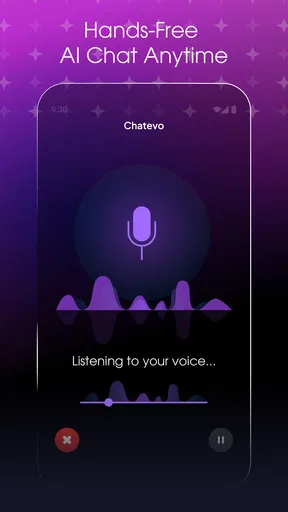
- Voice recognition can falter in noise.
- Some responses lack depth.
FAQs for AI Chat - Personal Assistants
What platforms is AI Chat - Personal Assistants available on?
AI Chat - Personal Assistants is available on both Android and iOS platforms. Users can download it from the Google Play Store for Android devices and the App Store for iOS devices. Make sure your device meets the minimum operating system requirements to ensure optimal performance.
How does AI Chat - Personal Assistants ensure user privacy?
AI Chat - Personal Assistants prioritizes user privacy by implementing robust security measures. All conversations are encrypted to protect user data. Additionally, the app does not store personal information without explicit consent. Users can review the privacy policy within the app for more details on data handling practices.
Can AI Chat - Personal Assistants integrate with other apps?
Yes, AI Chat - Personal Assistants is designed to integrate seamlessly with a variety of third-party apps and services. Users can connect their calendars, email accounts, and smart home devices to enhance the app's functionality and streamline daily tasks, making it a versatile personal assistant.
Is there a subscription fee for using AI Chat - Personal Assistants?
AI Chat - Personal Assistants offers a free version with basic features. However, to access premium features such as advanced customization and integrations, users can opt for a subscription plan. The app provides several pricing tiers, catering to different user needs and budgets.
What kind of support is available for AI Chat - Personal Assistants users?
AI Chat - Personal Assistants offers comprehensive support to its users. There is an in-app help section with detailed FAQs and tutorials. Additionally, users can contact customer support via email or chat for personalized assistance. Regular updates also ensure that any reported issues are addressed promptly.


